> For the complete documentation index, see [llms.txt](https://docs.whereby.com/llms.txt). Markdown versions of documentation pages are available by appending `.md` to page URLs; this page is available as [Markdown](https://docs.whereby.com/whereby-product-features/recording-with-embedded/cloud-recording.md).
# Cloud Recording
Cloud recording is a feature of our paid Embedded plans and allows you to record meetings that are saved to a storage bucket accessible by you.
{% hint style="warning" %}
We recommend a strict access policy on your S3 bucket, if you require HIPAA compliance. Key rotation will provide additional security, but also could impact operations, like receiving a permissions error when trying to record/transcribe.
{% endhint %}
## Summary
Cloud recording is a feature of our paid Embedded plans, which allows you to record meetings that are saved to a storage bucket accessible by you.
{% hint style="info" %}
Cloud recording is a supplementary feature of our paid Whereby Embedded plans. You can review the pricing and options [on our site](https://whereby.com/information/embedded/pricing/).
{% endhint %}
{% hint style="warning" %}
To be HIPAA compliant while using cloud recording, you need to store the recordings in an S3 storage managed by your organization.
{% endhint %}
## Storage options
We offer two storage options for our cloud recording feature:
### Whereby-provided Storage
By choosing Whereby-provided storage for recordings, you can can take full advantage of the flexibility of cloud recording without the need to configure and maintain your own Amazon S3 bucket for media storage.
Whereby would not delete your media files automatically, so we recommend that you periodically delete the obsolete recordings from Whereby storage or download them to the storage of your choice.
You can delete or download the recordings either through the "Recordings" page in Whereby customer portal or using our [Recordings API](https://docs.whereby.com/whereby-rest-api-reference#recordings).
#### Pricing
Depending on your plan, you will have some Whereby-provided storage quota available for free. For example, Whereby Build customers have 30 GB days of storage included in their plan. They can store 1 GB of recordings for 30 days, 2 GB of recordings for 15 days or 30 GB of recordings for 1 day each month for free, at no additional cost.
There is an additional storage fee applied to recordings saved in Whereby-provided storage above the free storage quota available in your plan. You can check the current price of Whereby-provided storage as well as available free storage quota on [Whereby's pricing page](https://whereby.com/information/embedded/pricing) or in the "Subscription" section of your customer portal.
### Self-Hosted Storage
When storing recordings and transcriptions in your own S3 bucket, you’ll need to configure how Whereby authenticates with your storage.
{% content-ref url="/pages/gkomBrOGCJubl1u8hNZs" %}
[Secure Authentication for S3 Storage](/whereby-product-features/secure-authentication-for-s3-storage.md)
{% endcontent-ref %}
## Setup
You can access recording settings and options from the “**Configure**” → “**Recording**” section of your Dashboard. You can also specify recording preferences via the API during a [room creation](/reference/whereby-rest-api-reference/meetings.md) request.
{% hint style="info" %}
When configuring cloud recording options via the Dashboard, it will apply these as default settings for all rooms created. However, you can override the defaults by specifying different preferences within the POST requests used to create meetings.
{% endhint %}

### Recording trigger
After setting up the appropriate information, select how you would like to trigger your recording in rooms.
* **Auto-start (1 person)**\
Recordings will start when the first person joins and end when the last person leaves
* **Auto-start (2 people)**\
Recordings will start when 2 people join a room and end when the last person leaves
* **Prompt host**\
Display a prompt to the host to manually start recording
* **Manual**\
Host will manually start by clicking "Record" in the toolbar
### Recording format
You can choose the format in which you want to save the recordings. Currently, you can select either `.mkv` or `.mp4` file formats.
Recording quality is set to 720p, however, individual video feeds may appear in lower quality depending on their network connection, device, and preferences.

{% hint style="info" %}
File names will be automatically set to `[room name]-[start time in ISO format].mkv` and is the time when the recording started.
{% endhint %}
## Additional information
### Managing recording activity
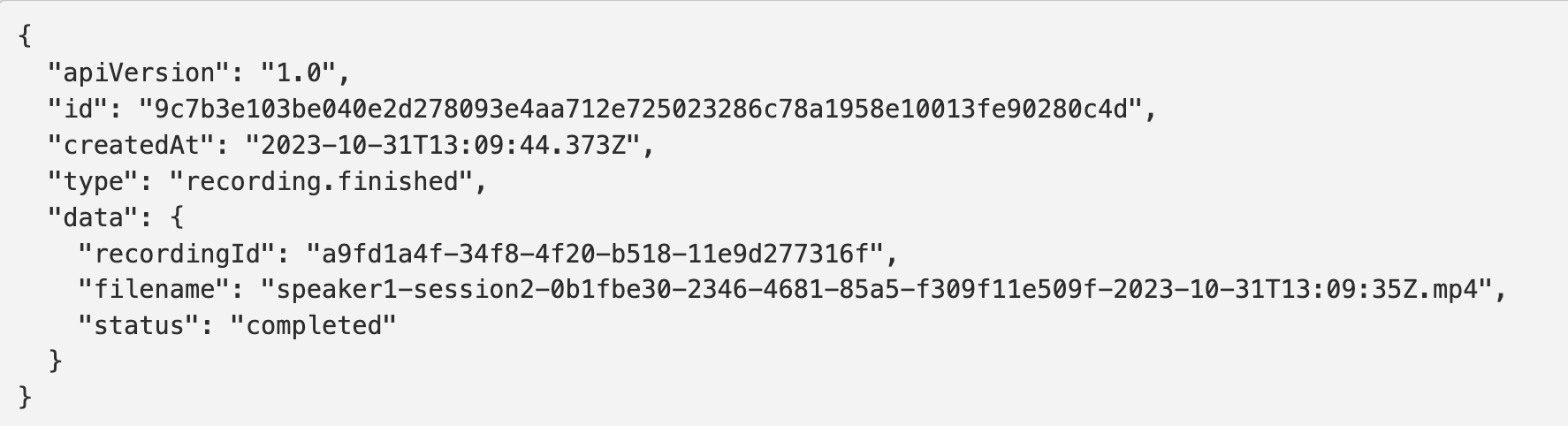
With our `recording.finished` [webhook event](https://docs.whereby.com/monitoring-usage/webhooks#cloud-recording-data-properties), you can be aware of when a recording has finished *and* successfully uploaded to your AWS or Whereby-hosted storage. More importantly, you can know the filename to programmatically use or manage that recording for your platform needs.
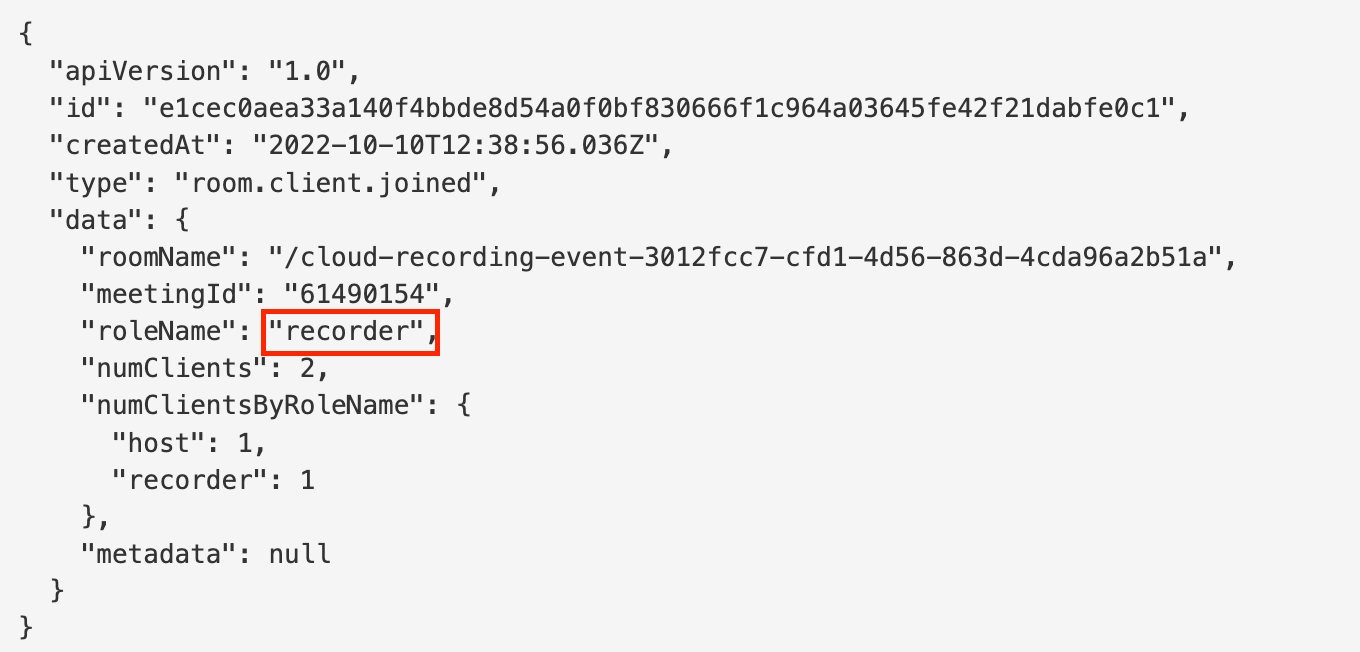
You can use our [webhook events](/whereby-product-features/insights-suite-and-api/webhooks.md) to track when a recording has started and stopped. The roleName will be set to `recorder` and will use the `room.client.joined` and `room.client.left` events accordingly.
In addition to tracking recordings, we offer [commands](/reference/using-the-whereby-embed-element.md#sending-commands) to start and stop recordings at your leisure via our SDK's Web Component.
### Downloading from Whereby-provided storage
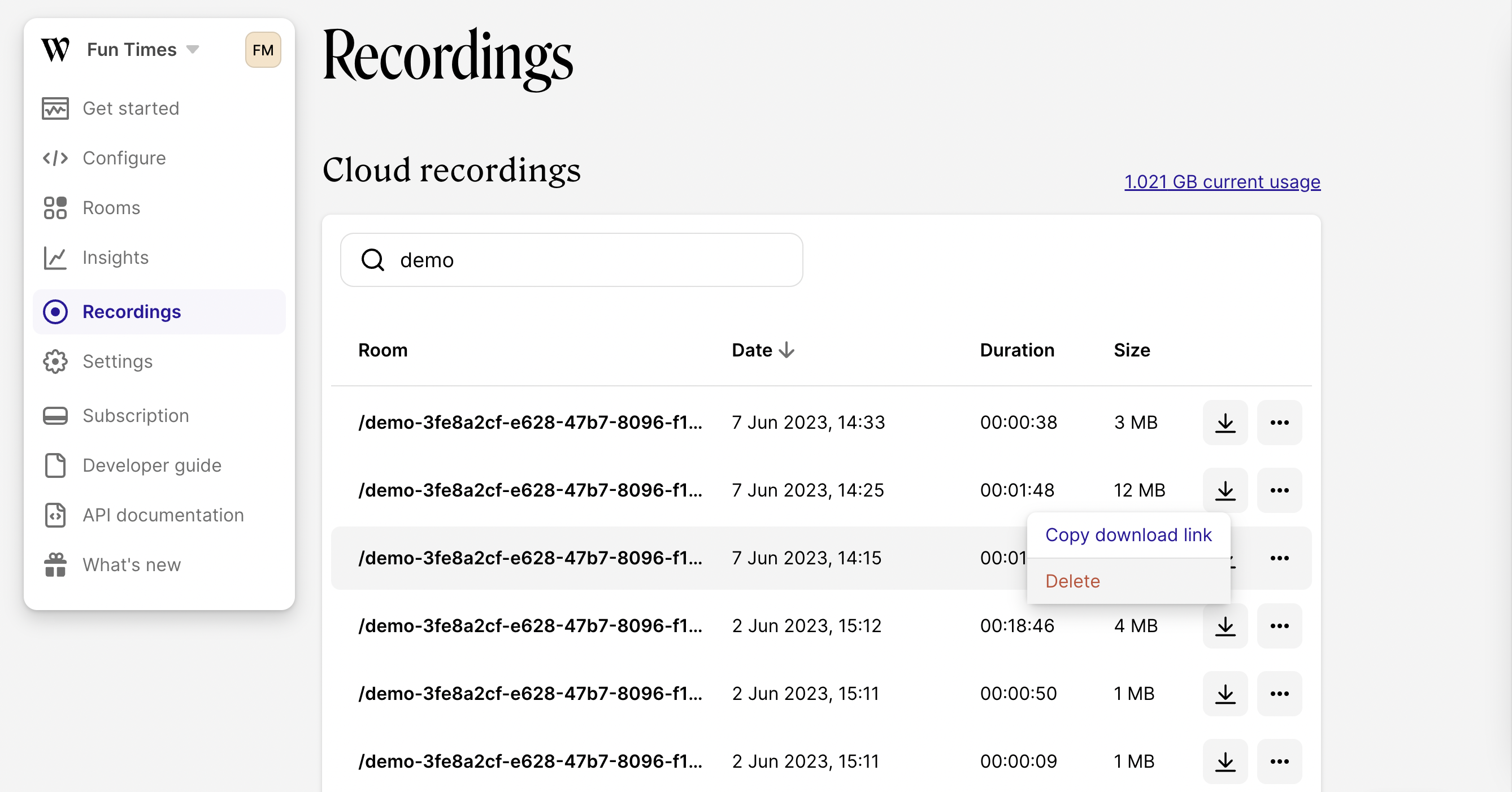
If you choose to save your cloud recordings in Whereby-provided storage, you can delete or download them manually through your Whereby Dashboard or using our [Recordings API](https://docs.whereby.com/whereby-rest-api-reference#recordings).
You can access all recordings saved in the Whereby-provided storage from the “Recordings” page of your Dashboard.
## Known limitations
1. Cloud recording does not support our [Breakout Groups](/whereby-product-features/breakout-groups-with-embedded.md) feature. When using Breakout Groups, the recorder will remain in the main room and will not capture any of the meeting content from individual groups.
2. Using Whereby-provided storage is not HIPAA-compliant at this time. You'll need to store the recordings in an S3 storage managed by your organization.