> For the complete documentation index, see [llms.txt](https://docs.whereby.com/llms.txt). Markdown versions of documentation pages are available by appending `.md` to page URLs; this page is available as [Markdown](https://docs.whereby.com/integrating-whereby-in-specific-environments/embedding-in-squarespace-or-wordpress.md).
# Embedding in Squarespace or Wordpress
Most website builders offer some way of adding blocks containing content hosted elsewhere. Here we look at two popular options, SquareSpace and WordPress.
{% hint style="warning" %}
Due to technical limitations, you are not currently able to embed Whereby rooms within a Wix site.
{% endhint %}
## Squarespace
Squarespace allows for you to build simple and beautiful websites with ease. Below are the steps in order to embed Whereby on your site, but if you have additional questions about building your site please review [Squarespace Help Center](https://support.squarespace.com/hc/en-us).
{% hint style="info" %}
**Note:** Adding iframes to a Code Block is a Premium feature available in Squarespace's current Website Business plan and higher.
{% endhint %}
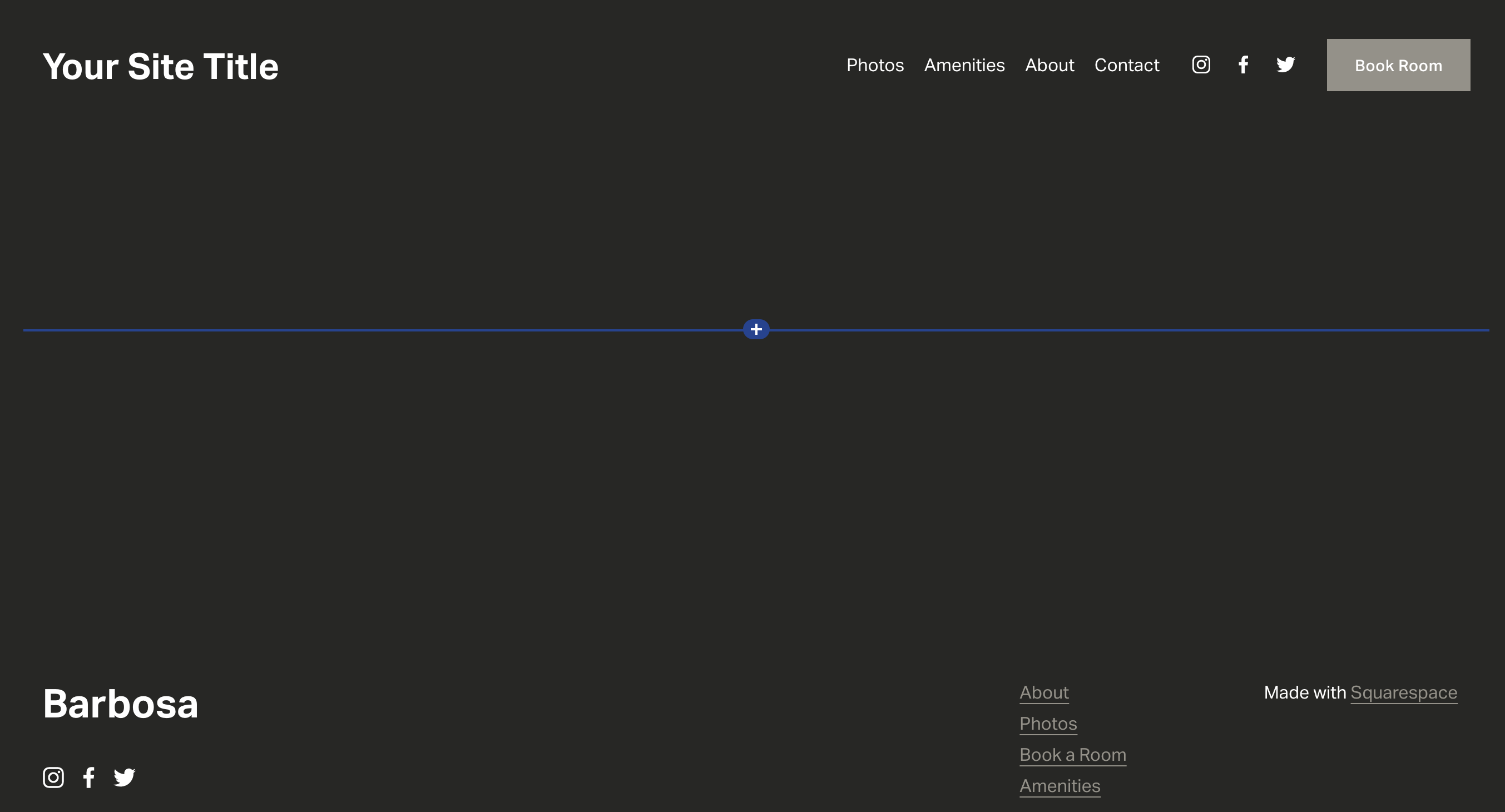
**1** In the section you'd like to Embed Whereby, select the "+" to create a new block
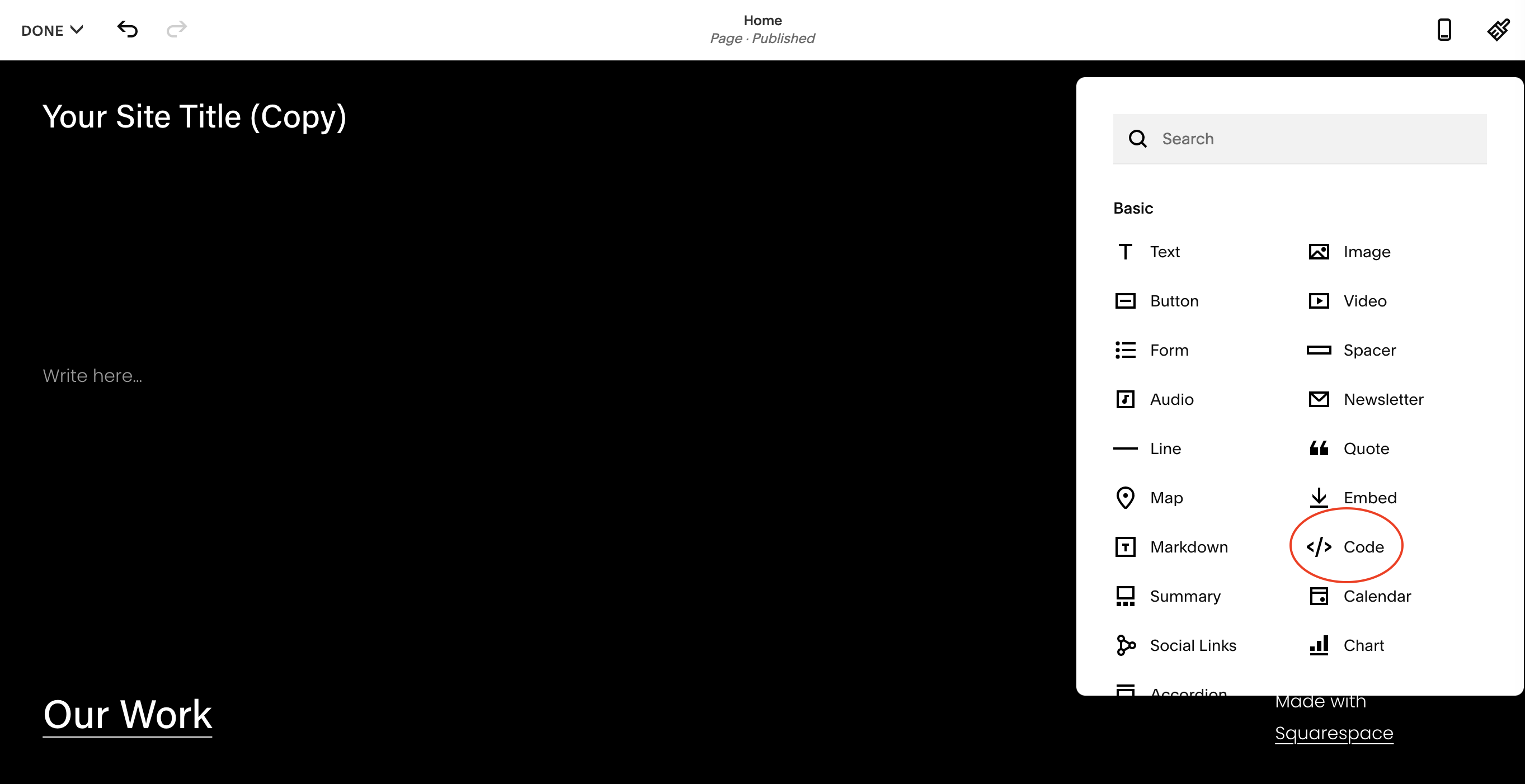
**2** Select the "Code" option
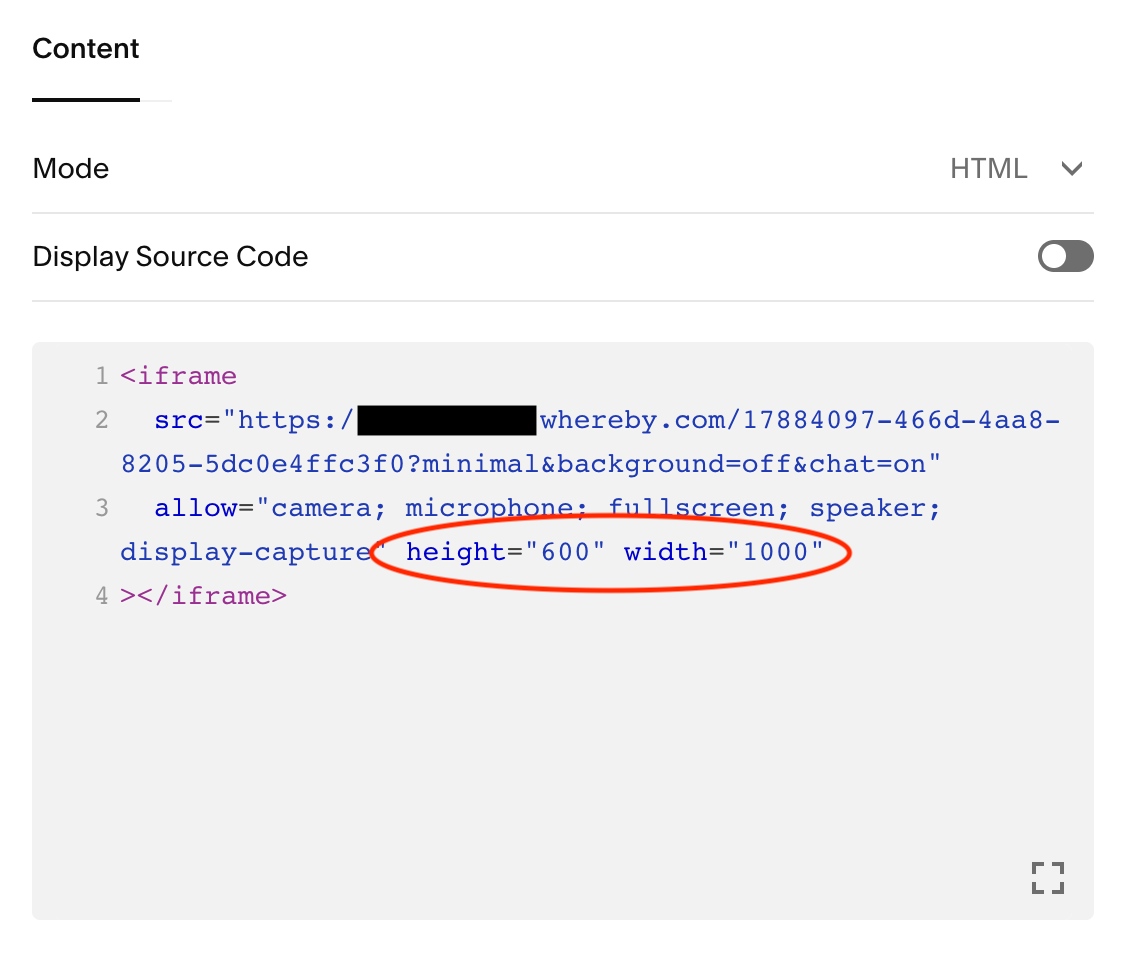
**3** Enter in your iframe code into the block. Example iframe code below. You may need to include a height and width attribute to fit your site accordingly.
```
```
## Wordpress
Below are the steps in order to embed Whereby on your WordPress site, but if you have additional questions about building your site please review WordPress [**WordPress Help Center**](https://wordpress.com/support/).
{% hint style="info" %}
HTML tags like script, iframe, form, input, and style are not available on Premium, Personal, or free plans. You need to upgrade to the [WordPress.com](http://wordpress.com) Business Plan and install a custom plugin or theme to use them.
{% endhint %}
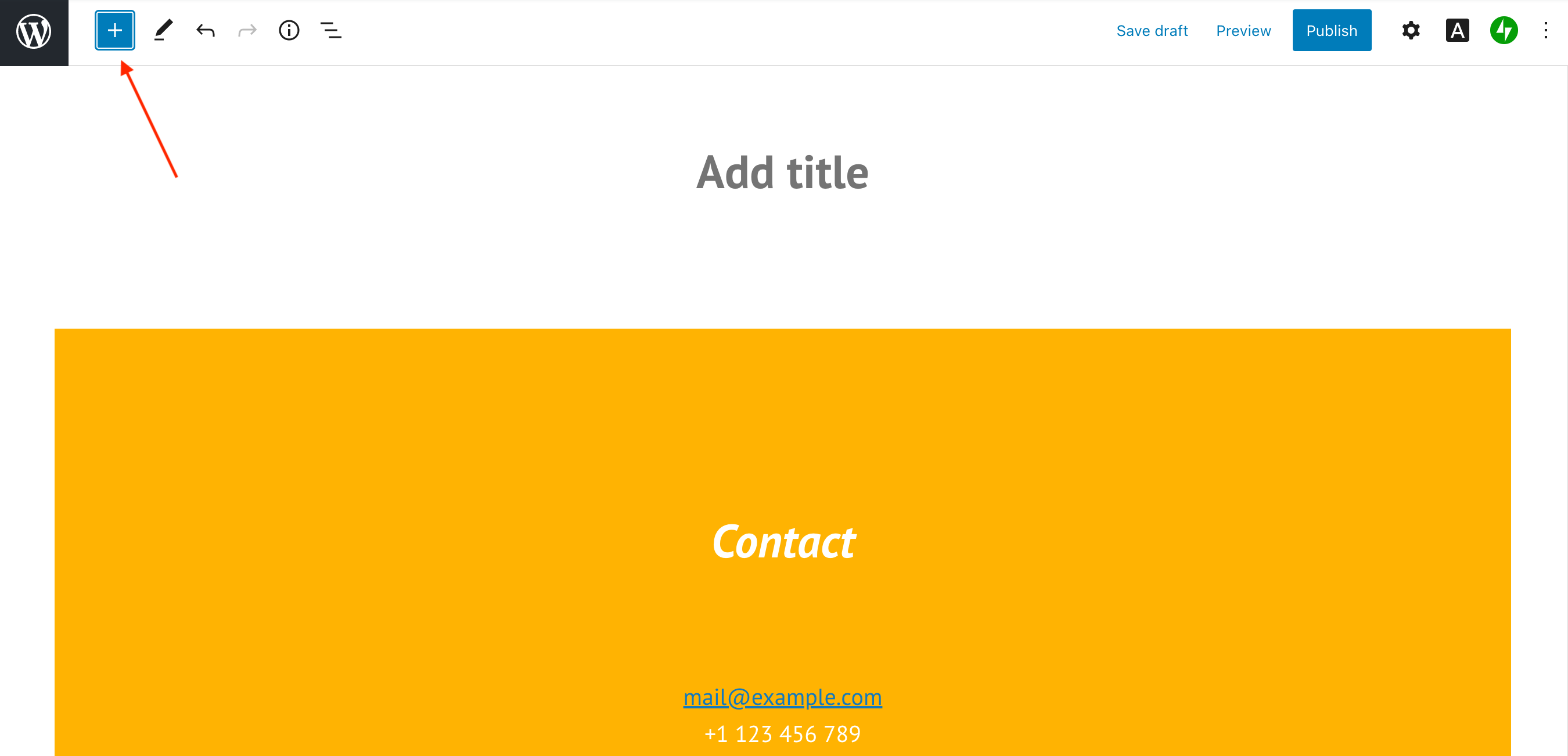
**1** Select the "+" to create a new block
w
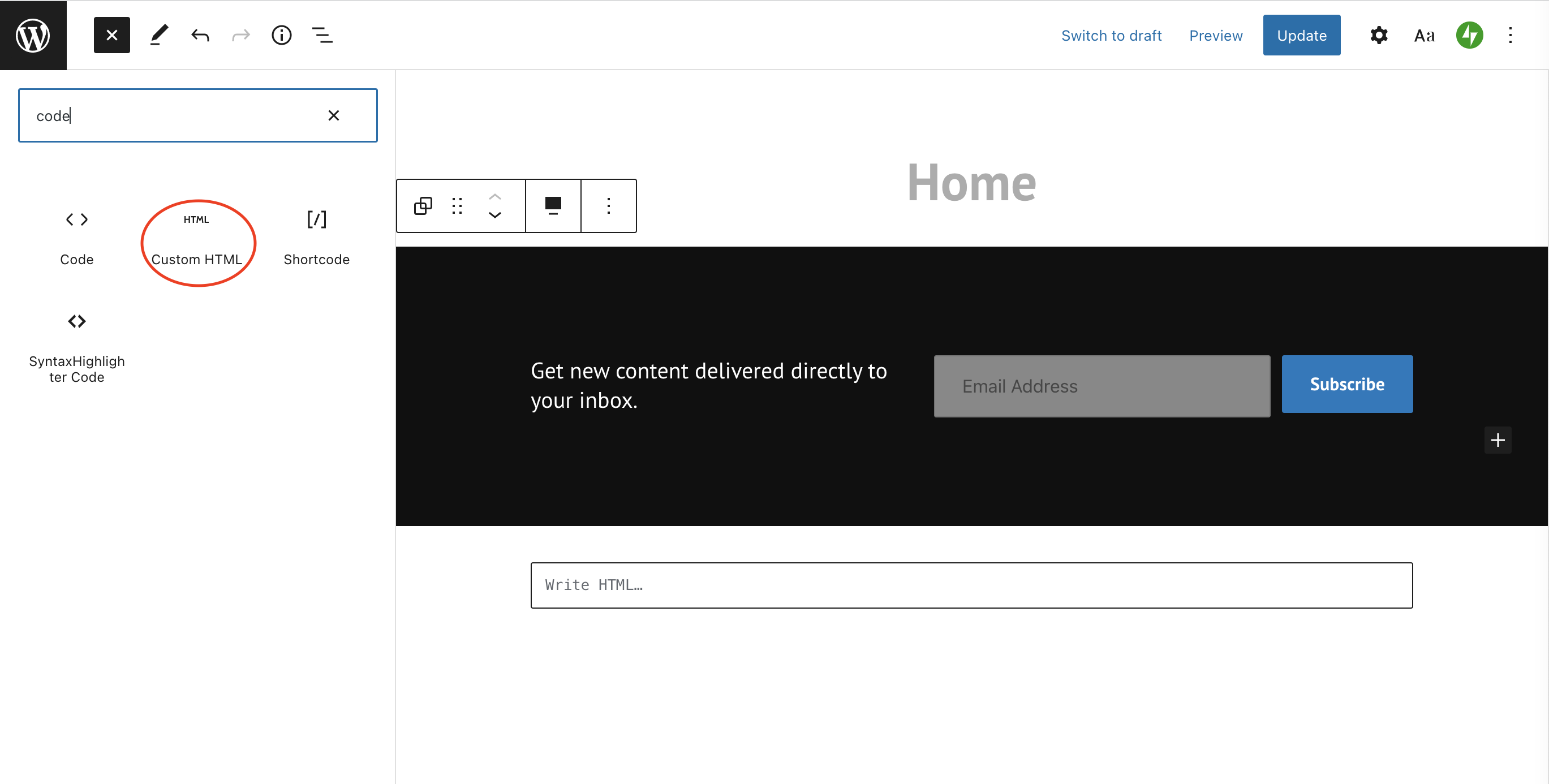
**2** In the search box, enter "code" and select the "Custom HTML" block
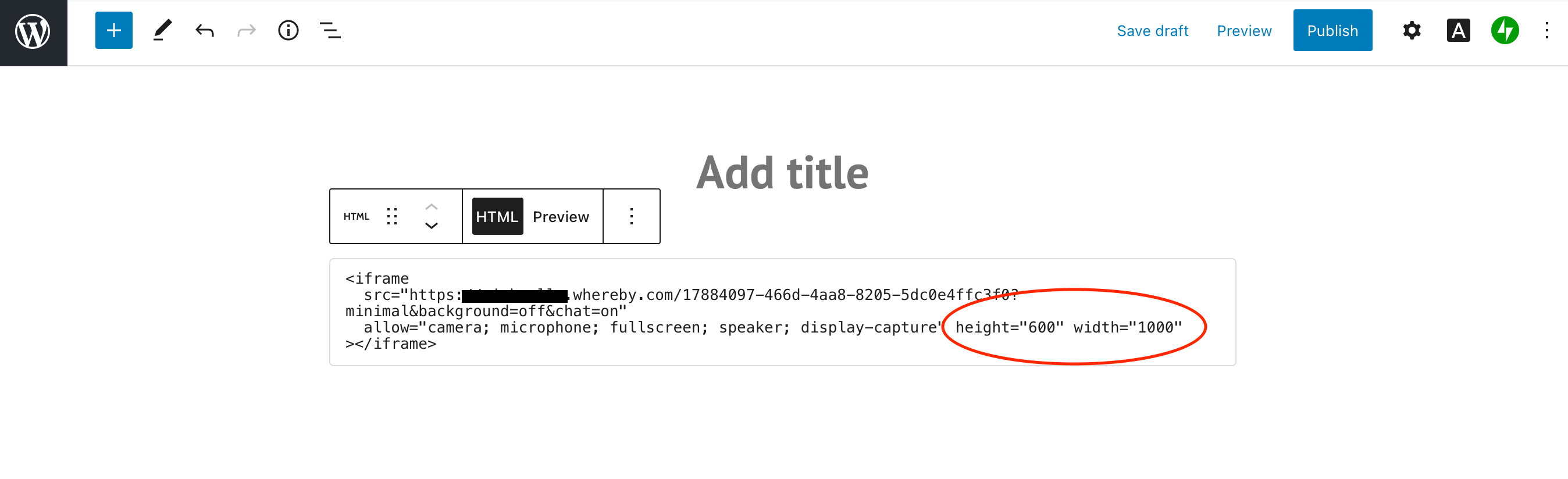
**3** Enter in your iframe code into the block. Example iframe code below. You may need to include height and width attributes to fit your site accordingly.
```
```