> For the complete documentation index, see [llms.txt](https://docs.whereby.com/llms.txt). Markdown versions of documentation pages are available by appending `.md` to page URLs; this page is available as [Markdown](https://docs.whereby.com/further-resources/faq-and-troubleshooting/allowed-domains-and-localhost.md).
# Allowed Domains & Localhost
The allowed domains feature lets you control which domains can be used for embedding your room and is also required in order to enable some specific features.
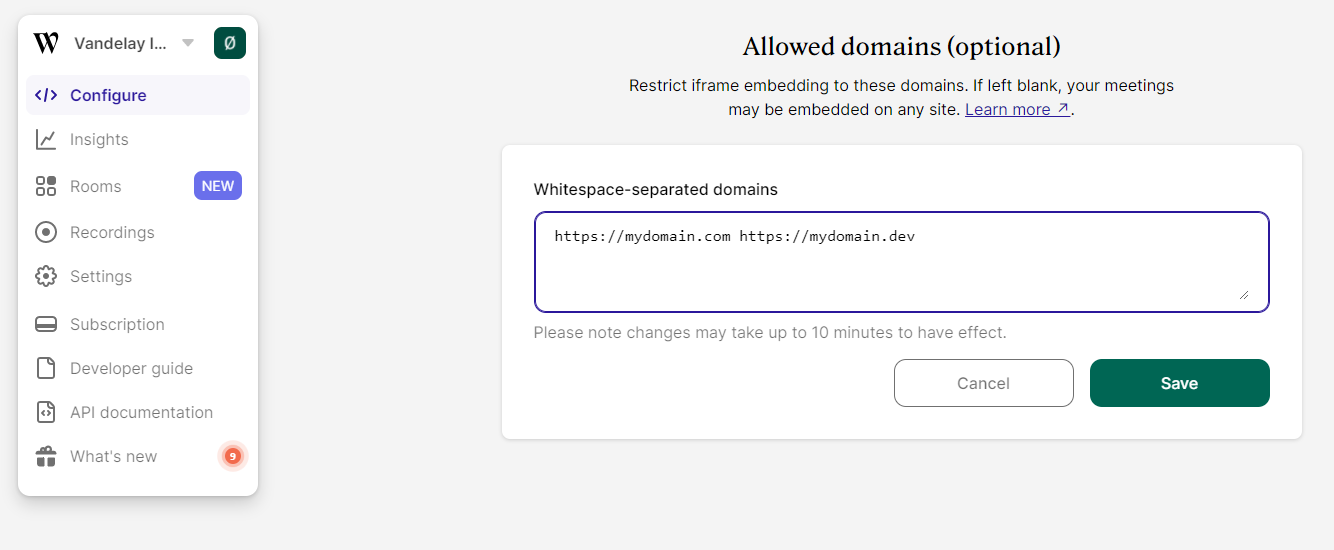
By default, embedding Whereby rooms will load from any domain they are hosted in. If you want to limit which domains are allowed, go to your Embedded account dashboard and add them under “Allowed domains”:
Under "Configure", scroll down to the "Allowed domains" section
Please note that domains **must** be prefixed with `https://` (except `localhost` which can be prefixed with `http://`) and have no path. Wildcards to allow all subdomains under a domain are permitted, for example `https://*.domain.com`.
{% hint style="info" %}
For local development, you should also add `localhost:[port]` domains if you wish to test the integration during development. The`[port]` is mandatory when configuring for `localhost`. For example:
`https://mydomain.com http://localhost:3000 https://localhost:443`
{% endhint %}
{% hint style="success" %}
If you are using another port than 443 for https, you need to include a line allowing it, for example `https://dev.domain.com:8080`.
{% endhint %}
Even if you're not specifically looking to restrict which domains can be used to embed your rooms, there are still some scenarios where you'll need to add your domains to this list:
1. **When using the \ element for embedding.** If you're using the `` element from our [Web Component](/reference/using-the-whereby-embed-element.md) for embedding rooms in your web page, you must add the origin of your application to the "Allowed domains" section to be able to send commands using the methods exposed by the element.
2. **When using the `?avatarUrl=` feature.** The domain used for hosting your avatars must be added to the "Allowed domains" list in order for the images to show up.
{% hint style="danger" %}
Note: Once you add your application origin domain or avatar URL domain to the "Allowed domains" list, you must also add any other domains that should be allowed to embed your rooms. This is needed since the default setting of allowing all domains will no longer be valid once a domain is added to the list, even if you added those domains for a different purpose.
{% endhint %}
### Verifying domains
You can use a simple cURL command to review the allowed domains for your Whereby organization via the command line or terminal on your computer.
```
curl --head "https://.whereby.com/csp"
```
You can then review the results in the `content-security-policy` section.
### Additional notes
* It might take a couple of minutes before an allowlisted domain starts to work.
* Your browser might require a browser hard refresh.
* When embedding through an iframe, it may be necessary to right click and select "Reload frame".